The wind howls against the frost-edged glass on a -10 Celsius evening, and you finally sink into your sofa. You dim the lamps, hit play on that visually sweeping sci-fi epic you have been waiting all week to watch, and settle in. But as the opening sequence rolls, something feels off. The vast, starry expanses look muddy, and the brilliant laser bursts seem to breathe through a pillow.
You find yourself squinting into the gloom, wondering if your eyesight is failing or if the filmmaker truly intended for the climax to look like it was shot through a dirty windshield. You are not imagining things, and your eyes are perfectly fine. You spent a significant portion of your paycheque on a premium display, expecting absolute perfection right out of the cardboard box. There is a pervasive myth that factory presets are calibrated to give you the optimum viewing experience.
The Handbrake on the Highway
The reality is far more bureaucratic, tied up in strict regional power consumption regulations rather than cinematic accuracy. Imagine purchasing a high-performance sports car, settling into the leather seat, and realizing the manufacturer permanently welded the parking brake halfway up. That is exactly what is happening inside your television’s operating system. Right now, your display is throttling its own potential to meet stringent eco-ratings, actively suppressing the vibrant luminance you paid for.
| Viewer Profile | The Frustration | The Benefit of Changing Settings |
|---|---|---|
| The Cinema Purist | Muddy shadows and flat highlights that betray the director’s vision. | Restores striking contrast, revealing subtle textures in absolute darkness. |
| The Console Gamer | Sudden screen dimming during prolonged nighttime stealth missions. | Maintains consistent brightness, allowing you to spot movement instantly. |
| The Casual Viewer | Squinting through daytime reflections while watching afternoon sports. | Pushes maximum light output to combat aggressive living room glare. |
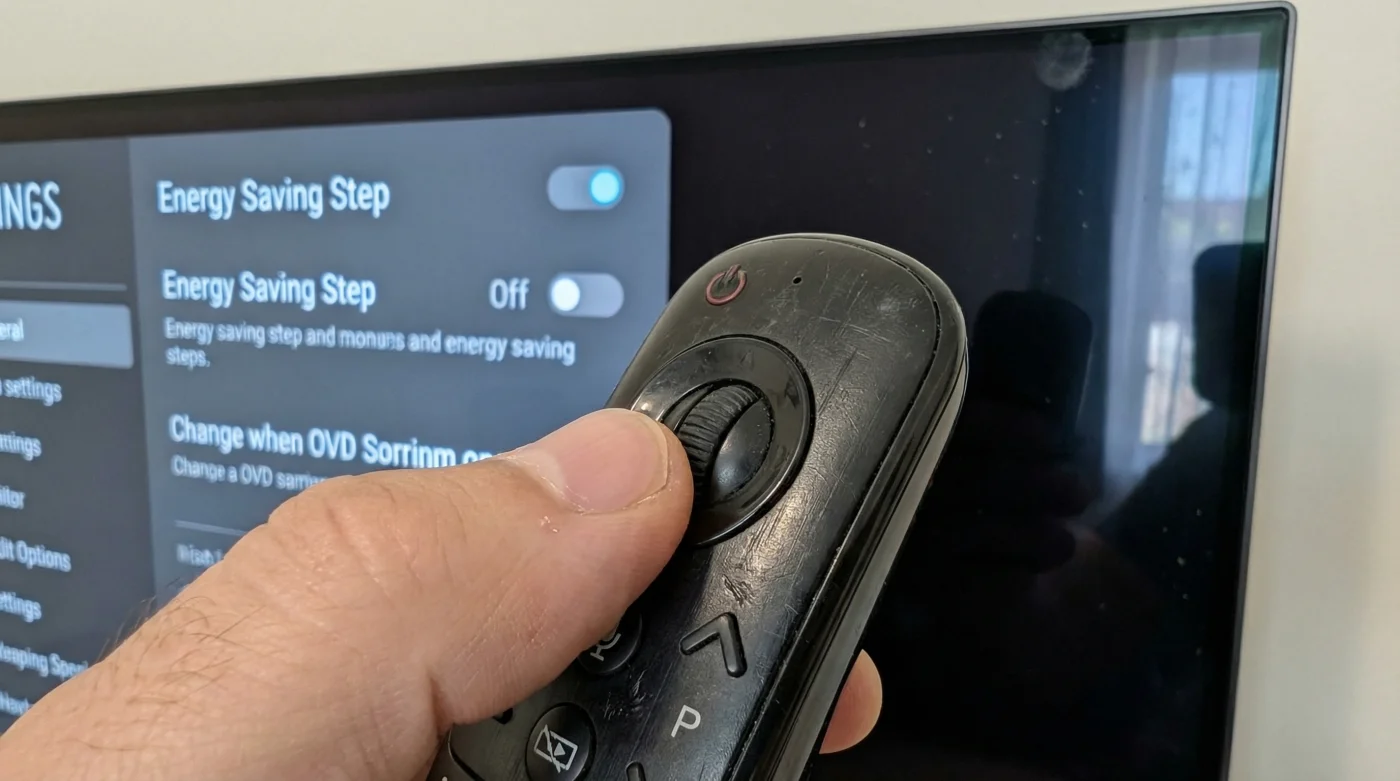
I learned this a few years ago from Julian, an independent A/V calibrator based out of Calgary. We were standing in a client’s living room, staring at a notoriously dim blockbuster movie. Julian did not reach for his expensive colorimeter or his specialized diagnostic software. He simply picked up the standard magic remote, navigated past the obvious picture menus, and toggled a single hidden switch.
| Internal Setting | Mechanical Logic | Visual Impact |
|---|---|---|
| Energy Saving: Auto (Default) | Uses an ambient light sensor to artificially cap peak luminance based on room conditions. | Restricts HDR highlights to roughly 150-200 nits, causing a flat, lifeless image. |
| Energy Saving: Off | Bypasses the ambient sensor, allowing the panel to draw necessary power for bright scenes. | Pushes peak brightness up to 800+ nits, delivering true high-dynamic-range punch. |
Navigating the Digital Maze
Fixing this requires a little patience, as the manufacturer intentionally buries this toggle away from the standard contrast sliders. Pick up your remote and press the gear icon to open the quick menu. Scroll down to the bottom and select All Settings to enter the main system architecture.
- LG OLED TV owners unlock peak brightness disabling this hidden energy toggle.
- Walmart Canada is quietly terminating free grocery pickup for minimum orders.
- Kikkoman Soy Sauce users ruin umami flavor ignoring this vital refrigeration rule.
- Hyundai Tucson owners prevent sudden battery drain disabling this hidden cellular transmitter.
- Crest Whitestrips users destroy enamel brushing immediately after this adhesion period.
| Quality Checklist | What to Look For | What to Avoid |
|---|---|---|
| Highlight Details | Crisp, piercing whites in clouds and lightbulbs without losing texture. | Large blown-out white areas that look like solid blocks of colour. |
| Shadow Gradients | Gradual fading from grey into true, inky blackness in dark corners. | Greyish, elevated black bars at the top and bottom of the movie. |
| Sustained Brightness | Consistent lighting during long, dialogue-heavy indoor scenes. | The screen slowly dimming itself over a five-minute period. |
Reclaiming Your Screen
Changing this single toggle completely redefines your relationship with the screen in front of you. You are no longer watching a compromised, muted version of your favourite films and shows. The brilliant highlights and absolute blacks work in harmony, pulling you into the narrative exactly as the creators intended. You regain the impact of every sunrise, every explosion, and every subtle shadow crossing an actor’s face.
Your television should serve the art it displays, not the regulatory eco-sticker slapped on its box at the factory.
Frequently Asked Questions
Will turning off energy saving damage my screen?
No. The panel is fully engineered to handle these brightness levels safely; the setting merely limits power consumption to pass certification tests.Does this increase my hydro bill significantly?
The difference in power draw is negligible. You might see an increase of a few dollars over an entire year, which is a tiny price for visual clarity.Why is this feature hidden so far back in the menus?
Manufacturers must ship displays with energy-saving features enabled by default to secure specific regional environmental ratings.Will I need to change this setting again after an update?
Occasionally, a major firmware update might reset your preferences to factory defaults. It is worth checking the menu every few months.Does this affect daytime viewing as well?
Absolutely. Removing the artificial brightness cap helps the screen overpower ambient sunlight reflecting off your living room windows.