The morning air is sharp, hovering around 4 degrees Celsius. Your breath plumes in front of you, a fleeting grey mist against the dawn. You are 12 miles into your weekend long run, finally finding that elusive rhythm where your footfalls sound like a steady metronome on the gravel footpath. The heavy feeling in your legs has faded. Then, a sharp, metallic chirp breaks the silence. You glance down at your wrist. Battery Low: 5%.
The frustration is immediate. You charged this watch barely two days ago. You find yourself wondering if the cold zapped the lithium-ion cell, or if your device is simply aging faster than you are. The truth, however, is quietly pulsing against your skin.
The Myth of the Satellite
It is incredibly common to blame the sky. When your Garmin Forerunner battery bleeds out, the natural assumption is that pulling down a signal from satellites orbiting miles above your head is the primary culprit. You assume tracking your geographic position is a monumental effort. But the real drain is not looking up; it is looking inward.
The true exhaustion comes from a continuous, microscopic dialogue with your blood. Your watch is working overtime, not to map your run, but to measure the oxygen saturation in your veins while you do mundane things, like stirring your morning coffee or staring at a spreadsheet.
Marcus, a seasoned trail running coach based out of the coastal mountains in British Columbia, calls this continuous pulse oximeter tracking the nervous passenger.
It is like having someone in the passenger seat of your car, constantly checking if the doors are locked every three minutes, he explains. It drains the car battery and serves absolutely no purpose while you are cruising down the highway.
| Runner Profile | Typical Use Case | Result of Adjusting Setting |
|---|---|---|
| The Weekend Warrior | Three 5-mile runs a week, daily wear. | Extends charging cycle from every 4 days to over a week. |
| The Ultra-Endurance Athlete | Long weekend efforts, 50+ miles a week. | Prevents mid-race battery death without sacrificing pacing data. |
| The Office Worker | Daily step counting, occasional evening jogs. | Transforms the watch from a daily-charge device to an afterthought. |
The Physics of the Red Light
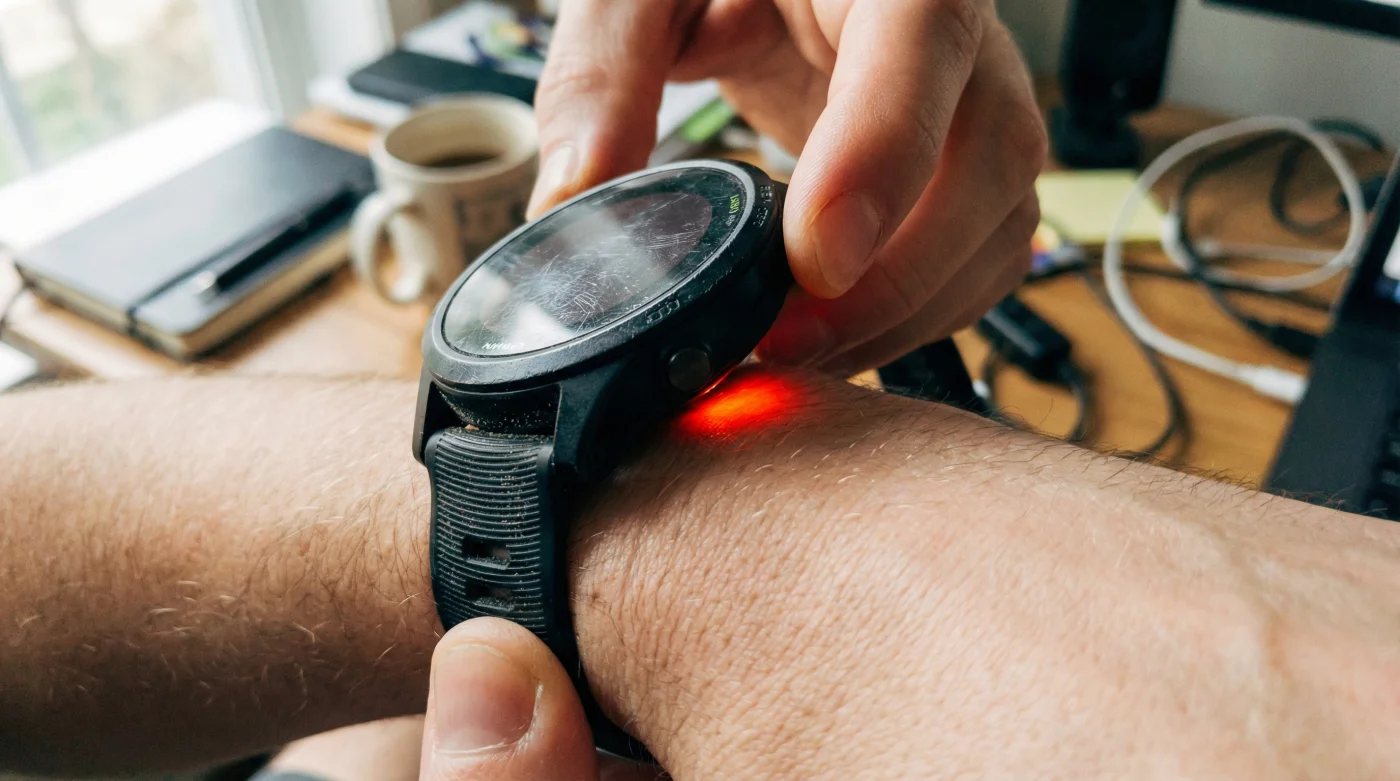
To understand why this happens, you have to look at the physical mechanics on the underside of your watch. The optical heart rate monitor uses a green LED. It is highly efficient and designed to run perpetually. But the pulse oximeter relies on a brilliant red LED and an infrared light. Pushing red light through your skin and tissue to read the reflection off your blood cells requires significantly more electrical energy.
When left on ‘All-Day’ tracking, this red light fires up repeatedly. It illuminates against your wrist while you sit in traffic. It scans you while you are reading a book. It is a massive draw on a tiny power reserve, constantly searching for acclimatization data you simply do not need at sea level or during ordinary tasks.
| Sensor / Function | Operational Mechanism | Battery Impact (Relative) |
|---|---|---|
| GPS (Standard) | Intermittent satellite pings. | Moderate. Optimized over generations. |
| Optical Heart Rate | Green LED, surface capillary reading. | Low. Highly efficient continuous draw. |
| Pulse Oximeter (SpO2) | Red/Infrared LED, deep tissue penetration. | Extreme. Causes rapid voltage drop. |
The irony is that unless you are actively ascending a mountain pass to see how your body adapts to thin air, knowing your oxygen saturation at two in the afternoon on a Tuesday offers zero actionable fitness value. It is merely a battery parasite feeding on your device.
| When to Keep it OFF (or On Demand) | When to Keep it ON (Strategic Use) |
|---|---|
| During standard daily routines and office hours. | When sleeping (to track sleep apnea or recovery). |
| During standard road runs and treadmill workouts. | During high-altitude expeditions or acclimatization. |
| If your battery is older and degrading naturally. | If a medical professional specifically requests the data. |
Silencing the Nervous Passenger
Reclaiming your watch battery life is a physical, deliberate act. It requires navigating away from factory defaults and telling the device exactly what you value. You do not need an engineering degree; you simply need to press a few grooved metal buttons.
- Sun Life Financial policyholders jeopardize disability claims skipping this mandatory physician update.
- Garmin Forerunner users double battery lifespan disabling this specific ambient sensor setting.
- Volkswagen Golf drivers prevent sunroof leaks clearing this specific hidden drainage channel.
- Amazon Prime Canada is quietly enforcing minimum thresholds for standard expedited shipping.
- Quaker Oats preparers guarantee creamier textures executing this mandatory dry toasting phase.
Next, scroll down to find ‘Pulse Oximeter’. Select it, and look at the tracking mode. If it says ‘All Day’, you have found your phantom drain. Change this setting to either ‘During Sleep’ or ‘On Demand’.
‘During Sleep’ allows you to retain valuable recovery metrics overnight, when the watch can remain relatively still and take accurate readings. ‘On Demand’ turns the sensor off entirely until you manually request a reading. Making this single adjustment routinely doubles the functional lifespan of the battery between charges.
The Rhythm of Endurance
There is a profound peace of mind that comes with trusting your equipment. When you stop worrying about battery percentages, the watch fades back into the background, becoming what it was always meant to be: a quiet observer of your effort.
You no longer have to carry a proprietary charging cable in your backpack to the office. You are freed from the mental math of calculating if fifteen percent battery is enough to survive an hour-long tempo run. You step out of the door, breathe in the crisp air, and focus entirely on the miles ahead.
Endurance is about removing friction. By silencing the unnecessary demands of your technology, you preserve energy, not just for the watch, but for yourself. You allow the device to match your stamina, ensuring it stays awake to record the moment you finally cross the finish line.
Technology should measure your endurance, not test your patience; turn off what you do not need, and watch how far the essentials can take you.
Frequently Asked Questions
Will disabling the pulse oximeter affect my VO2 Max estimate?
No. Your Garmin calculates VO2 Max using your pace and heart rate data, not your blood oxygen levels. Turning off SpO2 tracking keeps your performance metrics completely intact.Do I lose sleep tracking if I turn it off completely?
You will still get sleep stages based on heart rate and movement. You only lose the oxygen saturation overlay during the night, which most people do not need unless monitoring for breathing interruptions.Why is ‘All Day’ tracking the default if it drains the battery?
Manufacturers often enable all features out of the box to showcase the full technological capabilities of the device, leaving it up to you to customize the settings for practicality.How much actual battery life will I save?
While individual models vary, moving from ‘All Day’ to ‘On Demand’ routinely cuts battery drain by up to 50 percent, effectively doubling your days between charges.Does this apply to other Garmin models besides the Forerunner?
Yes. The Fenix, Epix, and Venu series all suffer from the identical red-LED power draw. The menu navigation is almost identical across all modern Garmin interfaces.